
Built for work that needs follow-through
Agents that act
and follow through.
Holon is an agent workbench you can run on your computer or a team server. Connect events or schedules to handle email, order issues, and code reviews. Agents keep track of progress and ask for your input when needed.
You define the roles and permissions. Agents work within them.
Start or resume when an event arrives or a task is due.
Deliver results when the task is complete.
How Holon works
Do the work. Wait for results. Pick up where you left off.
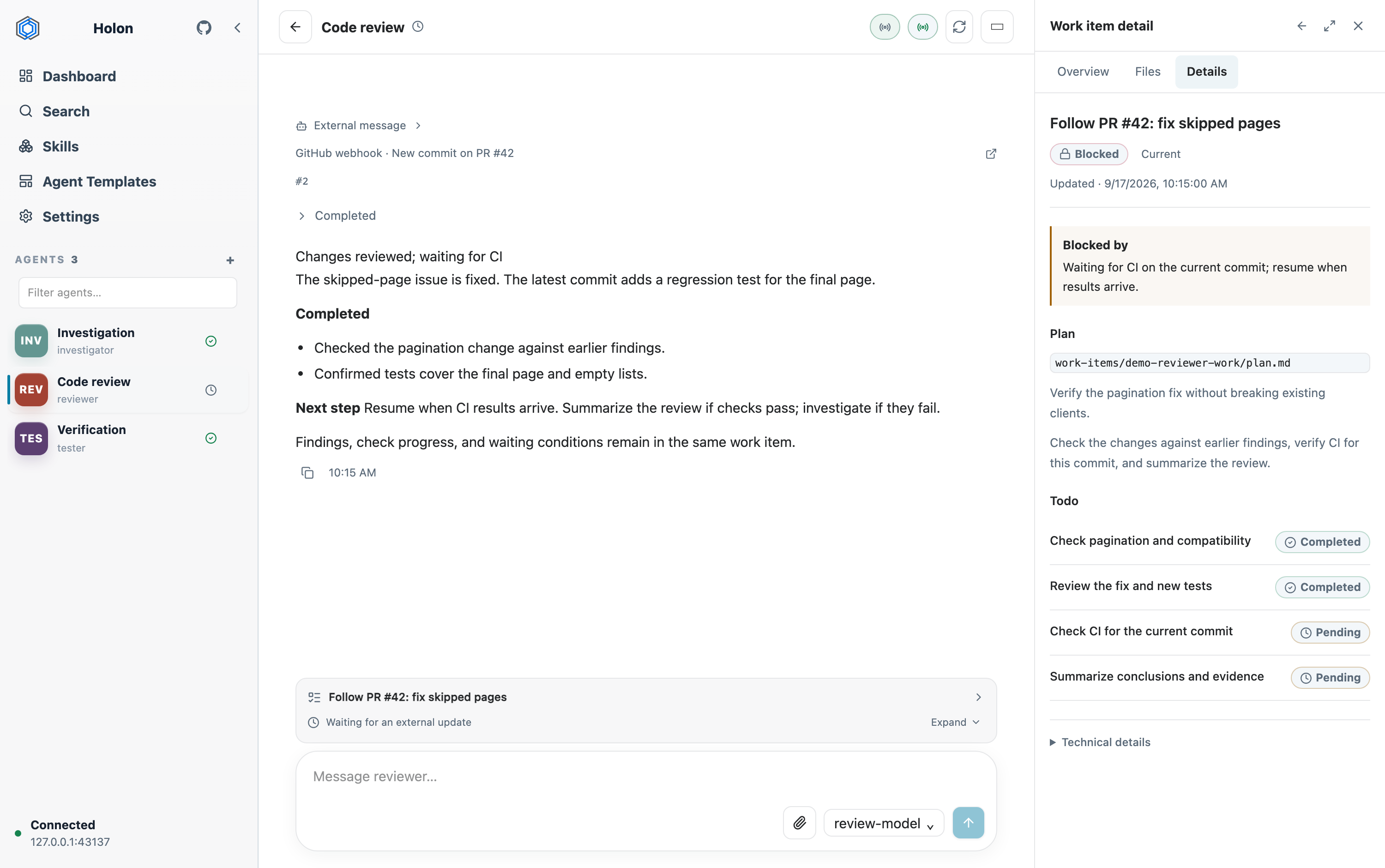
Some work takes several rounds of action and waiting. Holon saves progress so agents can continue when new information arrives—and you can see where things stand.
Save progress. Resume the same task.
A work item (WorkItem) keeps the goal, plan, progress, and pending results together. Whether an agent is waiting for an order update or a teammate’s test results, it can use the saved progress to continue when the update arrives.
Respond to updates. Act on schedule.
Connect external systems through webhooks or set up scheduled tasks. Agents can start work when triggered, then wait for results or feedback before continuing.
Give each agent a lasting role.
Define what each agent handles, with its own skills, instructions, and memory. Return to the same agent to continue the work you assigned it.
Split up tasks. Bring results together.
Assign investigation, review, and testing to different agents, or create subagents to work in parallel. Track their tasks and use the results to move the overall job forward.
For you and your team
Check progress. Keep your team’s work moving.
Use the web or terminal interface (TUI) to check tasks, add information, and change direction. On a team server, teammates can assign tasks to the same agent, share results, and continue from the saved progress.
Keep project files and outputs in separate workspaces. Agents work in the background while you and your team check in as needed.
Ongoing work requires the computer or server and the Holon background service to stay running. Your configuration determines which files and tools agents can use.
Featured articles
See what you can do with Holon.
See how teams share agents, set up continuous code review, and explore the design behind ongoing work.
 01 · WORKFLOW
From prompt to finished work
Give an agent a bounded repository task, let it work past the prompt, and return to a result you can inspect.
Follow the workflow →
02 · PRODUCT
Let multiple agents keep working in your environment
Move from asking AI for help each time to giving agents ongoing roles. Meet the local workbench that supports this way of working.
Meet Holon → 03 · TEAM
Everyone has AI. How does the team work together?
Follow a team investigating a faulty digital piano. See how a shared agent uses teammates’ test results to continue the investigation.
Read the team story →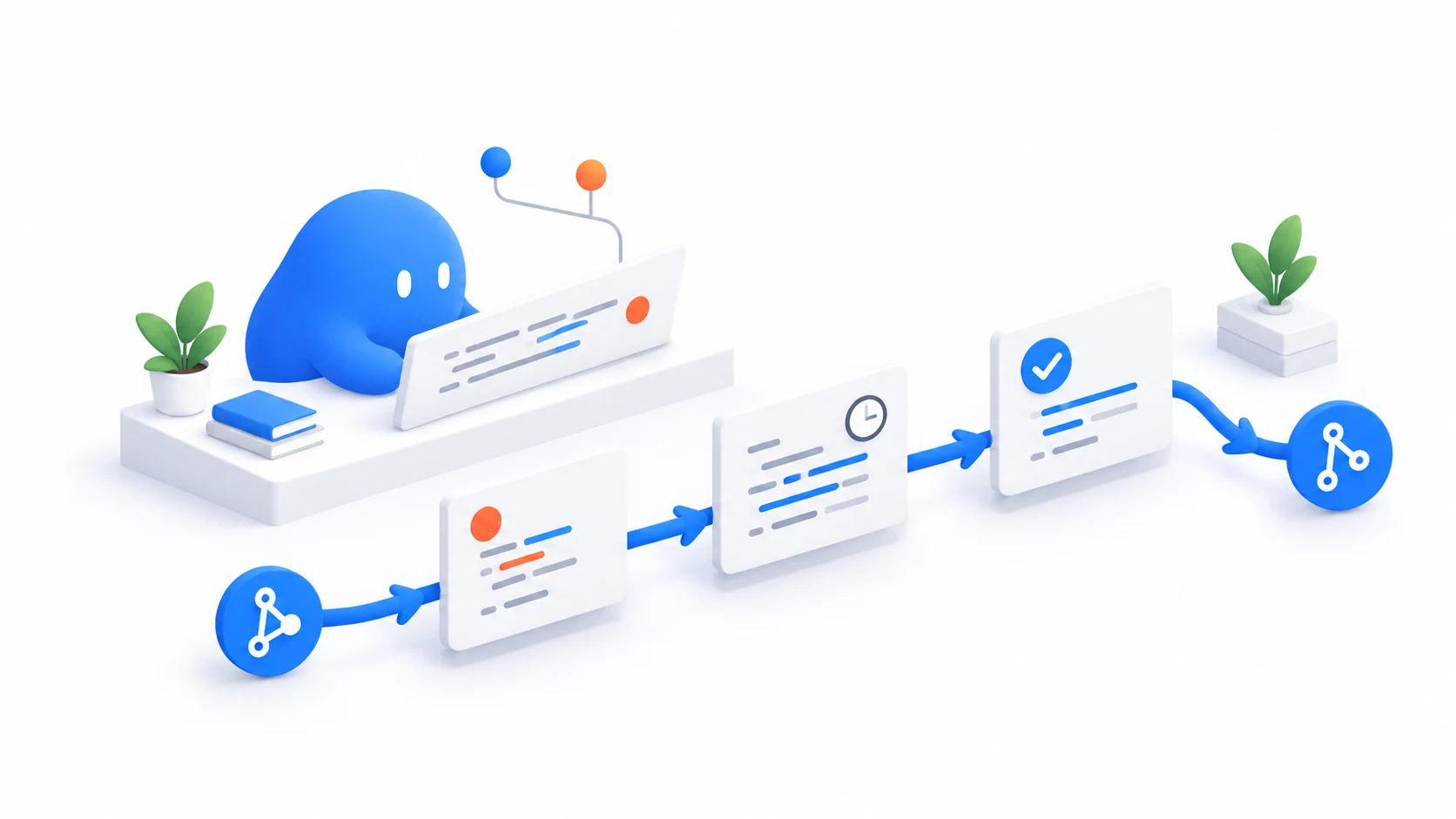 04 · REVIEWER
Set up an agent to follow code reviews through to completion
Start with the code-reviewer template, define its role and permissions, and connect repository events. Let it follow pull requests through fixes, automated checks, and merging.
Set up continuous review → 05 · DESIGN
WorkItem: separate work state from the conversation
From an API migration to two reviews running side by side, see how work items retain goals, progress, and pending results between conversations.
Explore the design → 06 · ARCHITECTURE
From Request-Response to Event-Driven: Designing the Kernel for Long-Lived Agents
Why while(true) loops fail in production software engineering. Lessons from OS interrupt history for long-lived autonomous agents.
Explore the kernel design → 07 · ENGINEERING PRACTICE
How to Guarantee Quality in AI Delivery Pipelines: Four Layers of Verification and Acceptance in Real-World Engineering
Code generation is faster than ever, but software nobody dares deploy remains the real bottleneck. Drawing from an engineering team adopting Holon across cross-platform apps and hardware protocols, this article explores four pragmatic verification layers.
Read the guide →Start locally
Choose a template. Assign a task.
Create an agent from an Agent Template, define its role, and give it a first task. Add system events and schedules when you’re ready for it to follow up automatically.
First, install Holon, configure a model provider, and start the background service. Then open http://localhost:7878 in your browser or run holon tui.
Recommended release: v0.52.0
brew tap holon-run/tap && brew install holon
holon onboard
holon daemon start
Put your first agent to work
Start with one task you don't want to keep checking on.
Choose a task that needs follow-up. Define the outcome and when to ask for your input. As events and feedback arrive, your agent can keep working from its saved progress.